Donor registration
To register a new Donor go to: Create and Search > Donor enrollment
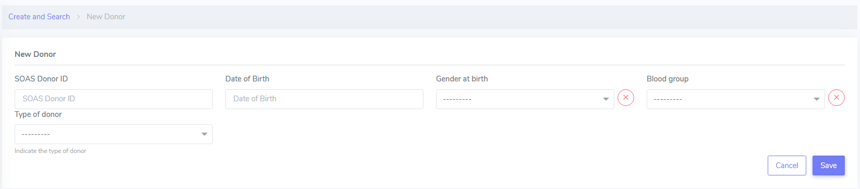
Here you can can enter the following information:
SOAS Donor ID
Date of Birth
Gender at Birth
Blood group
Type of donor
After this, you just need to click Save.
More details are provided for the the type of donor below.
Type of donor
Here are the different types of donors which are possible:
DBD: donation after brain death (no extra options to fill in)
DCD: donation after circulatory death (no extra options to fill in)
Living related donor (genetically), in which the following categories aare possible under Living donor related subtype: * Parent to child * Child to parent * Sibling: this will open a new category, in which the user can specify whether the siblings are identical twins or not.
Living unrelated donor) - which requires informations such as Kidney paired donation and whether the donation is Altruistic or not.
Note
“Unknown” identifical twins should be used when it is unknown whether they are identical twins or not.
More details can be found in our Youtube page.