Biosamples
Documentation is available on the STCS website, sections:
STCS Harvest, Processing and Storage of Biobank Samples: Guideline
STCS Lab DNA Guideline
STCS Lab Plasma Cell Guideline
STCS Sample Ordering Procedure
STCS SOP for Biological Samples Destruction
Samples IN
From container Samples. Enter data related to collected samples.
Samples OUT (Usage)
When samples are retrieved, their usage can be imported manually or in bulk, via a .csv file, into the DB system by using the Tool Import sample out.
Enter sample usage manually
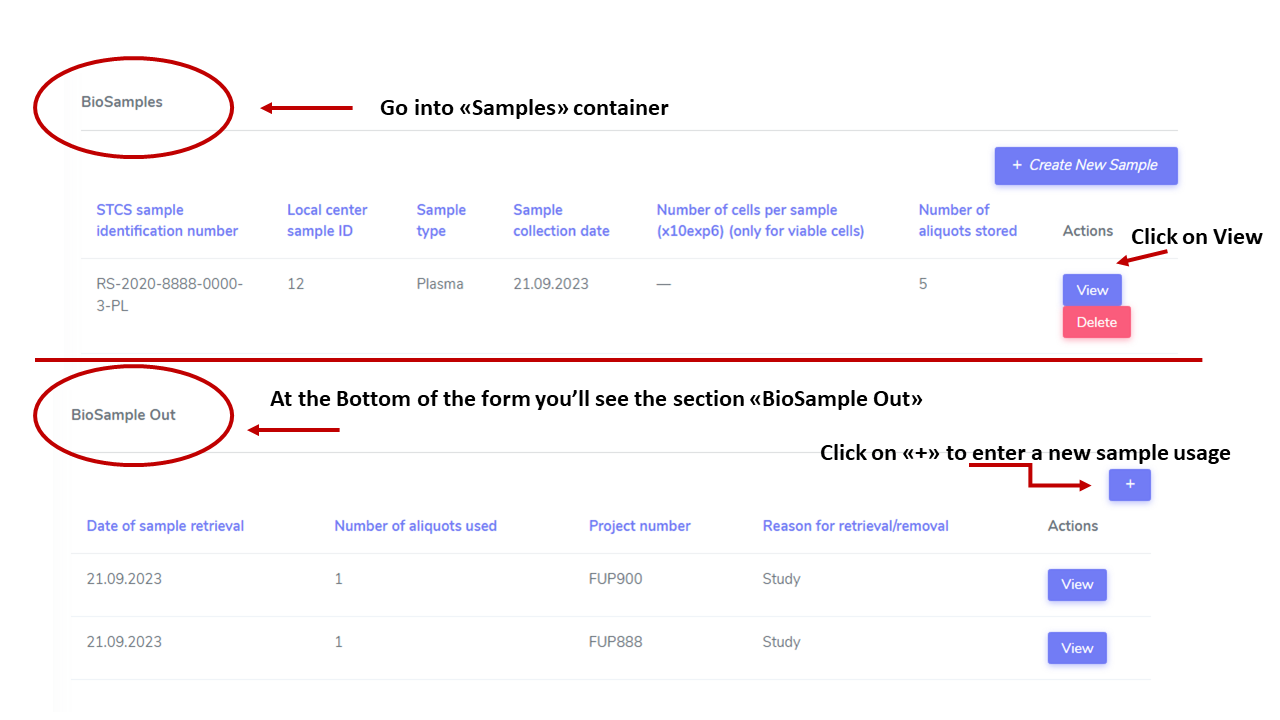
From container Samples, click on “View” on the sample that has been retrieved, enter usage, Save.
Import sample usage from .csv file
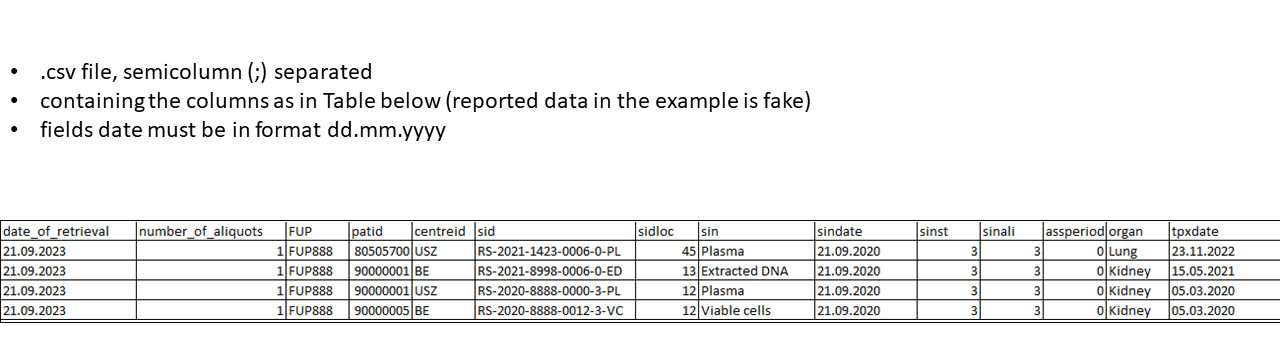
The .csv file must meet the following criteria:
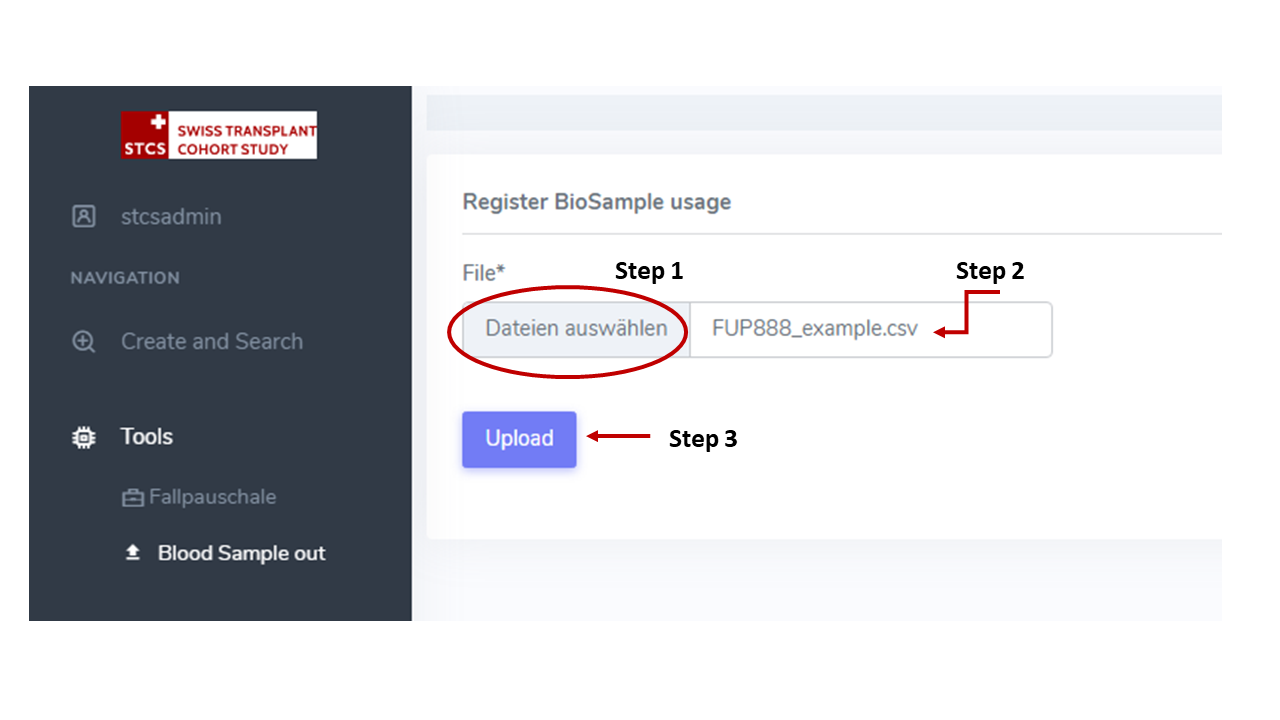
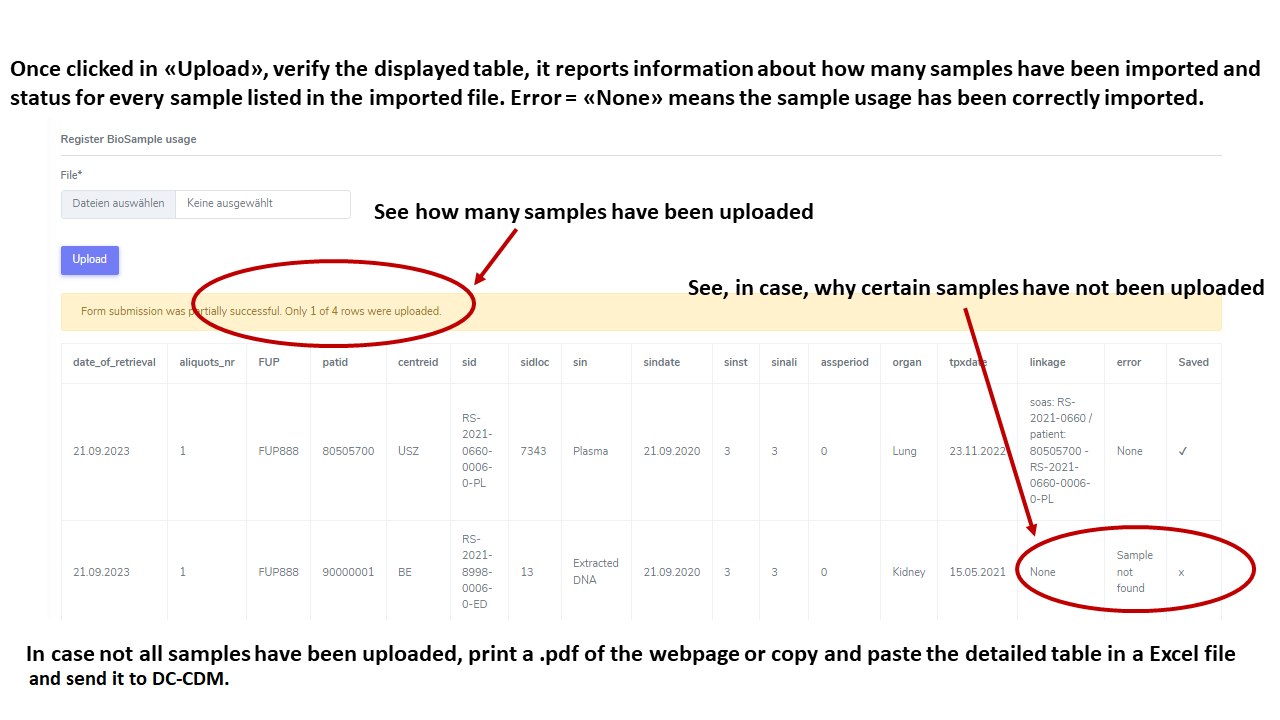
From left Menu, click on Tools then on Blood Sample Out. Select the .csv file, click on Upload. A Table will be displayed with on the column “error” the indication of whether the sample usage was correctly imported or some issue occured.